
How Pixscape Works
Pixscape has two parts:
- Studio is where you create visual scenes.
- Runtime loads those scenes and connects them to your Java gameplay code.
You arrange content in Studio, export it into your LibGDX project, and then use Runtime APIs to load the scene and make it respond to the game.
Control the scene, organize the rendering
You define the content, state, layers, zIndex, and Spatial behavior that control the visual result. Pixscape uses that information to remove rendering-management plumbing while keeping your game in control.
Your game controls the visual scene. Pixscape organizes and optimizes rendering by keeping drawing order predictable, grouping compatible work, and avoiding unnecessary work.
Three rendering models
LibGDX supports different ways to organize rendering for different kinds of application.
Direct draw calls with SpriteBatch
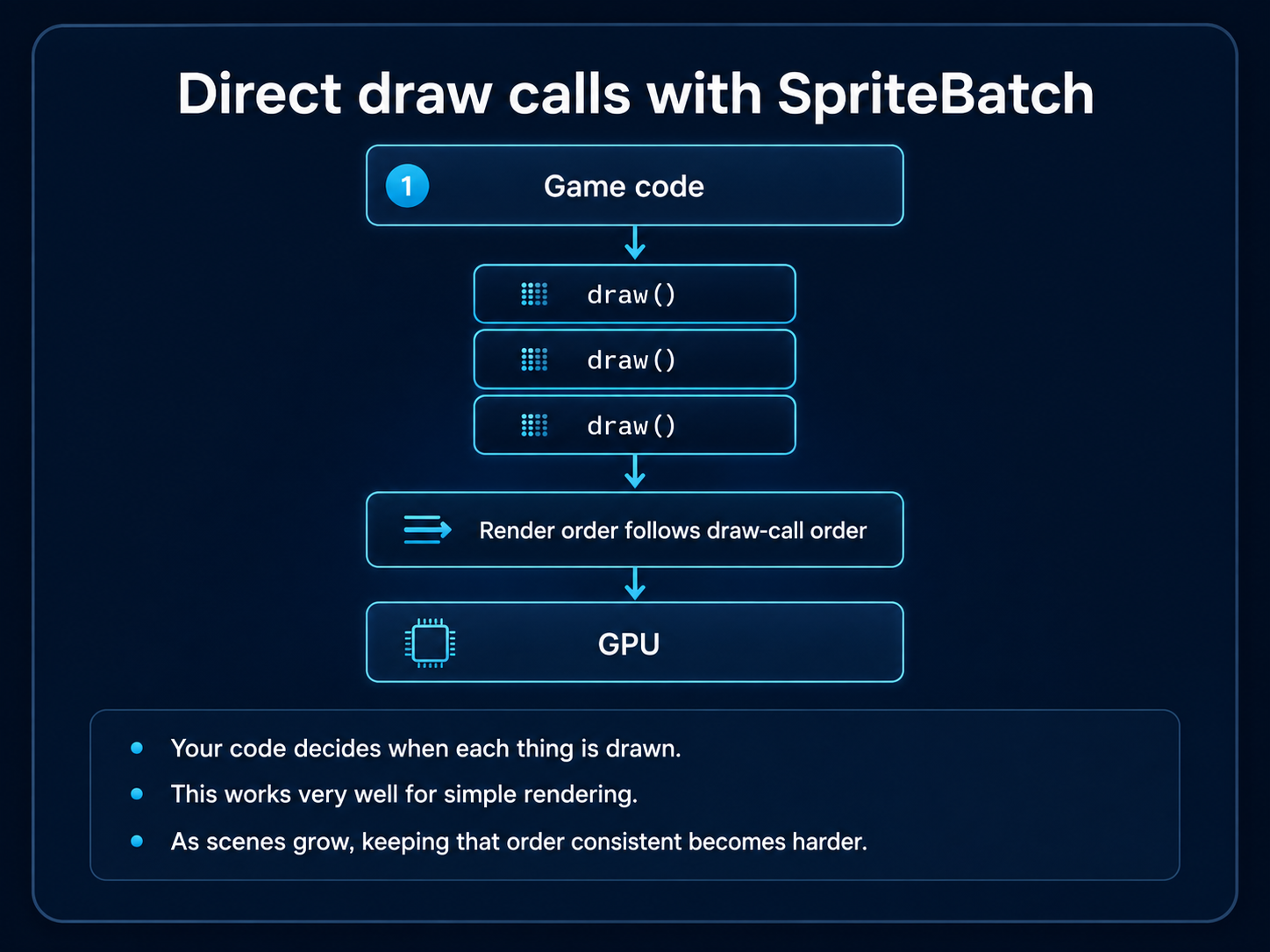
Your code controls draw-call order directly. This is simple and effective for straightforward rendering.
Scene2D and the scene graph approach
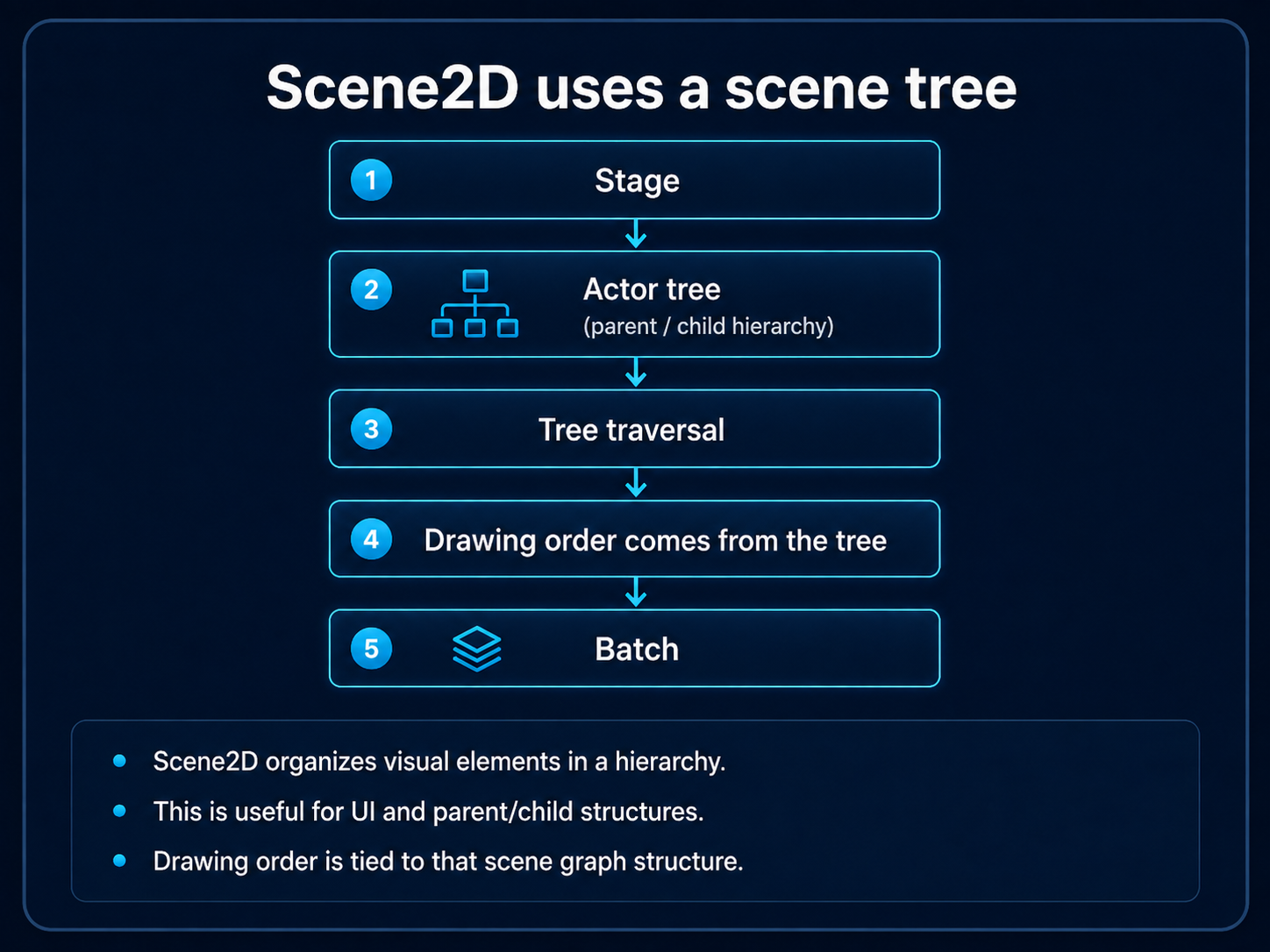
Scene2D organizes actors in a hierarchy. This is especially useful for UI and parent/child structures.
Pixscape and ordered visual rendering
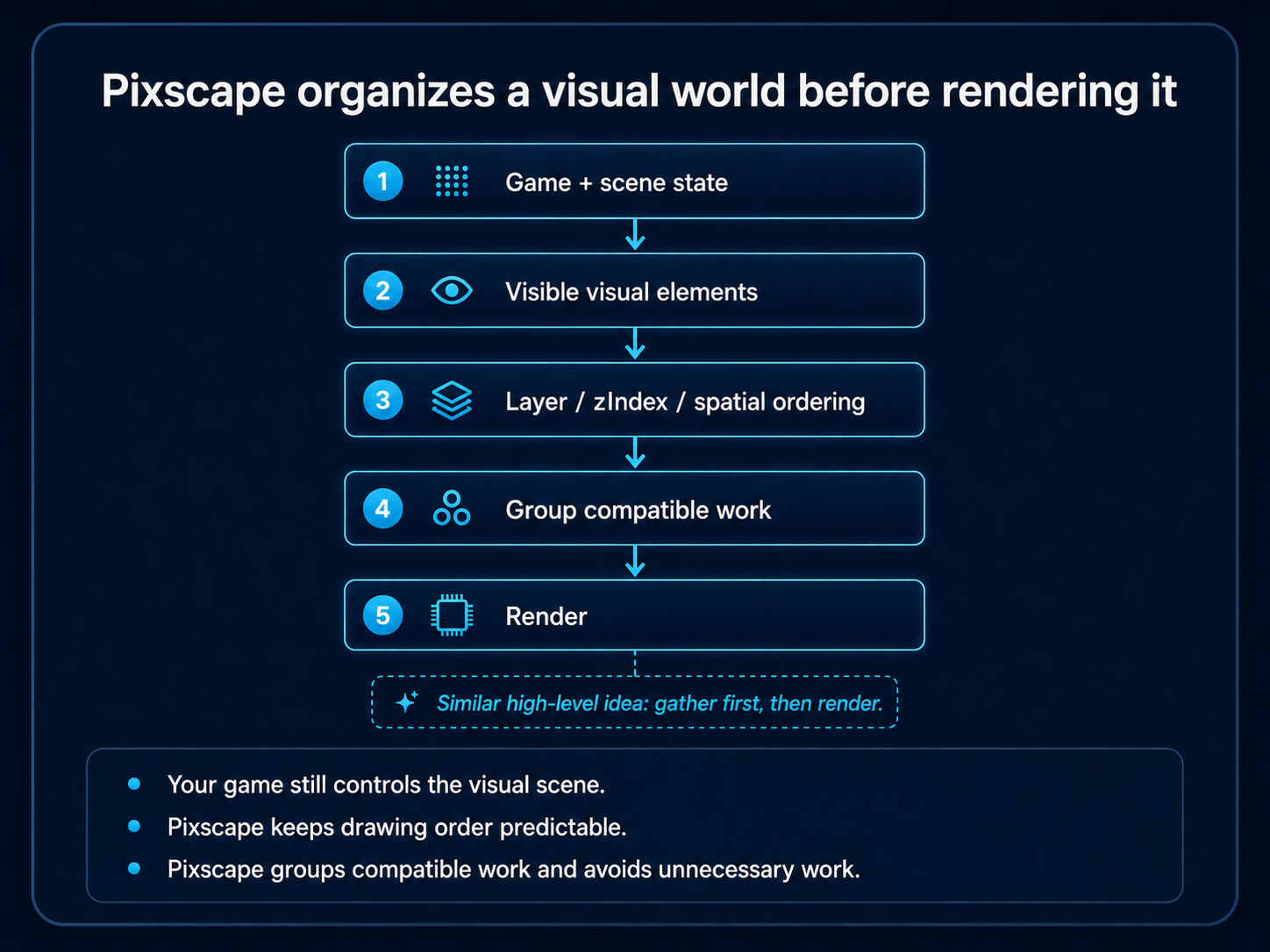
Your game defines the visual world. Pixscape uses its ordering information to organize rendering globally and prepare compatible work together.
If you know LibGDX’s ModelBatch, part of the idea should feel familiar: gather the rendering work first, then render it. Pixscape does not use ModelBatch for 2D, but the high-level approach is similarly based on preparing and ordering rendering work before final submission.
Work Pixscape handles for you
- Predictable drawing order. Layers group visual content,
zIndexdecides what appears in front, and Spatial ordering handles changing front/behind relationships in 2.5D scenes. - Grouping compatible rendering work. Pixscape can prepare compatible work together before final submission. This is a form of batching.
- Avoiding unnecessary work. Content outside the camera can be skipped, which is called culling. Rendering data that has not changed does not need to be rebuilt; updating only changed data is commonly called dirty tracking.
These techniques reduce avoidable work, but they are not performance guarantees. The results still depend on your content, effects, target platform, and game code. Architecture & Performance explains the details and trade-offs.
Where to go next
Open a working Studio project and run it with Try Pixscape in 10 Minutes. When you are ready to build your own, continue with Create Your First Project.
If you already use LibGDX and want to understand how Pixscape fits into an existing application, read Pixscape for LibGDX developers.