
Import Tiled maps and tilesets (.tmx / .tsx)
Import supported Tiled TMX maps and TSX tilesets into Pixscape Studio and export them as Pixscape scene data for LibGDX.
On this page
Pixscape Studio imports a supported Tiled .tmx map as a new Pixscape scene. The Tiled files are authoring inputs, not Runtime dependencies: source layers, tiles and objects are converted to native Pixscape scene content.
After import, you continue working with Pixscape scene data. Later changes to the original TMX file are not synchronized automatically.
Import a TMX map
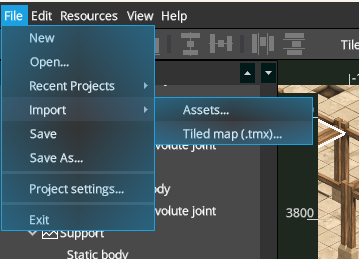
File > Import > Tiled map (.tmx)... to import a Tiled map as a new Pixscape scene.- Open or create a Pixscape project.
- Choose
File > Import > Tiled map (.tmx).... - Select the
.tmxfile. - Review the preflight results.
- Confirm or change the scene name.
- Click
Import.
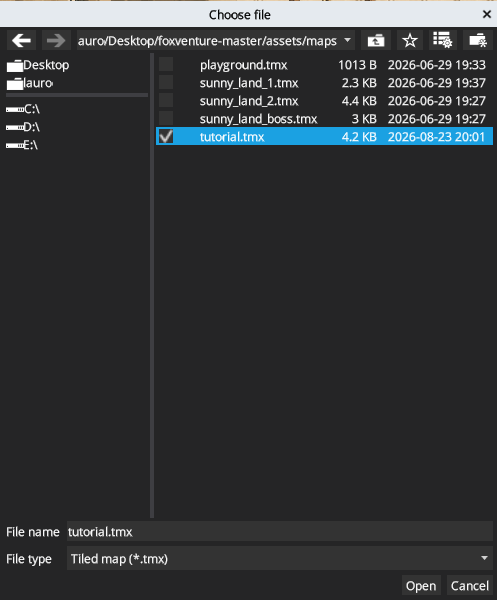
.tmx file to import.Pixscape checks the TMX and referenced resources before changing the project. Blocking problems stop the import; warnings explain content that will be adapted or ignored.
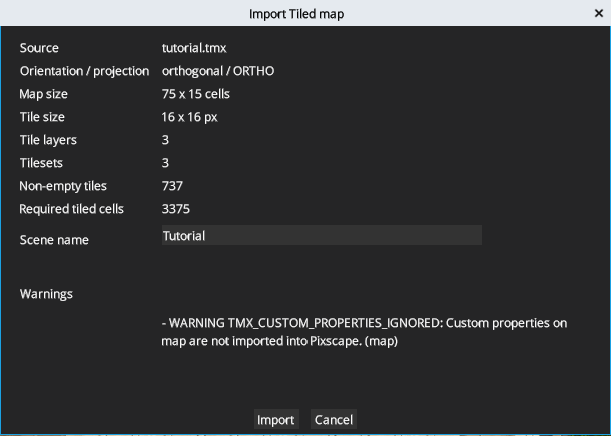
Import.Supported Tiled content
| Tiled feature | Status | Note |
|---|---|---|
| Finite orthogonal maps | Supported | Map and tile dimensions must be positive |
| Finite isometric maps | Supported | Tile and object placement is converted to Pixscape coordinates |
| Tile layers | Supported | Tile content is imported into Tiled Maps; placement and tile transforms are preserved |
| Group layers | Partially supported | Child layers are flattened in render order and inherit supported group settings |
| Image layers | Partially supported | Imported as editable Pixscape scene content; tint, transparent color and blend mode are ignored |
| Object Layers | Supported | Imported as ordinary Pixscape scene entities |
| Rectangle objects | Supported | Imported as native entities |
| Point objects | Supported | Imported as native entities |
| Tile objects | Supported | Static and animated tiles are supported |
| Polygon objects | Supported | Imported as editable authored geometry |
| Polyline objects | Supported | Imported as editable authored geometry |
| Ellipse objects | Not supported | Reported by preflight and not materialized |
| Text objects | Not supported | Reported by preflight and not materialized |
| Tiled templates | Not supported | Template-backed objects block import |
| Embedded or external single-image tilesets | Supported | External image paths are resolved from the declaring file |
| Embedded or external image-collection tilesets | Supported | Per-tile images and native image dimensions are preserved |
Standalone .tsx import | Supported | Single-image and image-collection tilesets can be imported through Import Assets |
| Tile animations | Supported | Frame order and duration are preserved for supported tilesets and tile objects |
| Horizontal, vertical and diagonal tile transforms | Supported | Preserved on tile cells and tile objects |
| CSV tile data | Supported | Uncompressed CSV data |
| Base64 tile data | Supported | Uncompressed, gzip and zlib variants |
| XML tile data and other compression formats | Not supported | Block import |
| Infinite maps | Not supported | Block import |
| Hexagonal and staggered maps | Not supported | Block import |
After import
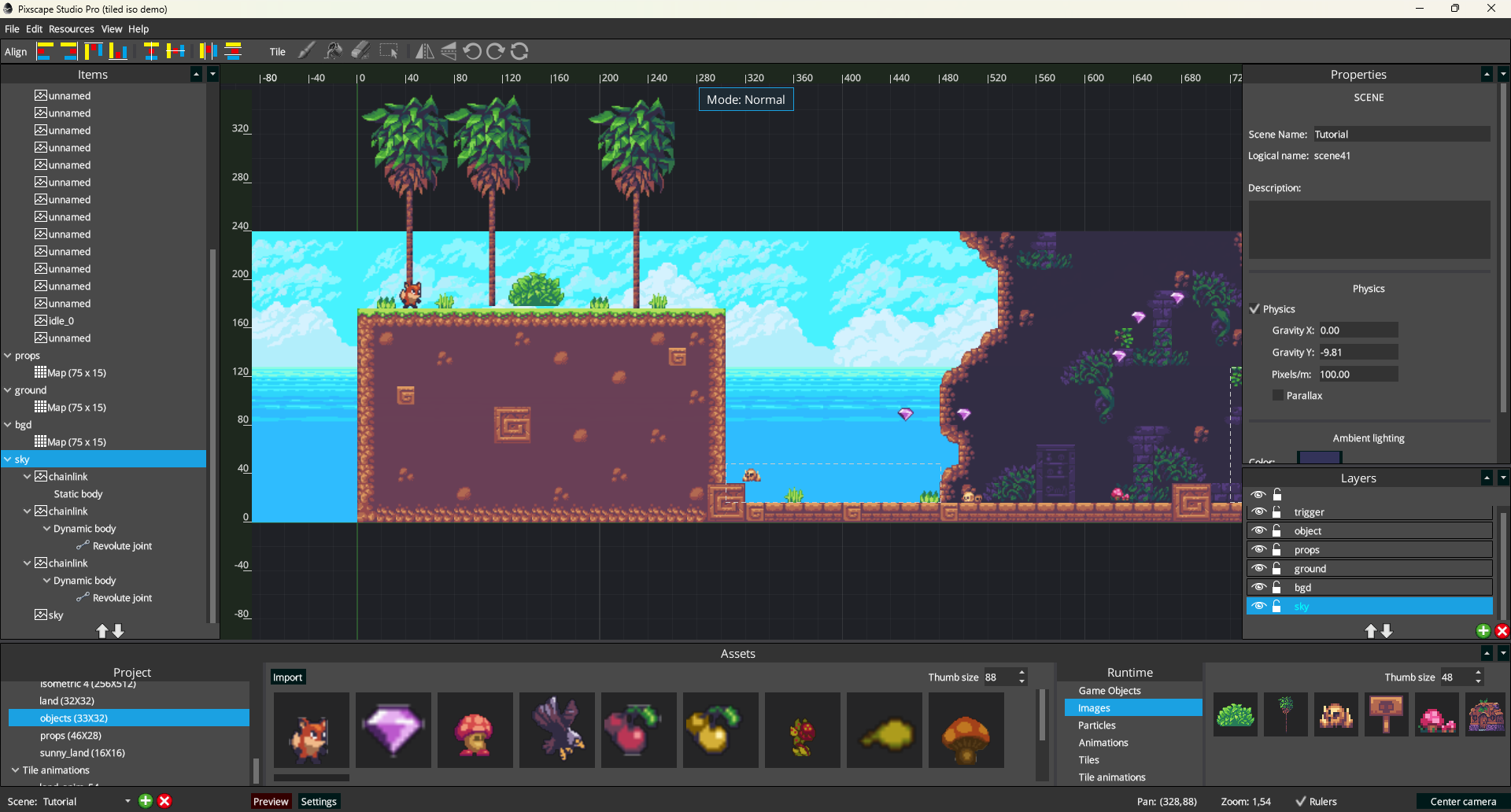
The imported map opens as a native Pixscape scene rather than a frozen TMX preview. Source tile content becomes first-class Tiled Maps inside Universal Layers, while imported object and image content becomes ordinary editable scene content where applicable. A Scene can contain multiple Tiled Maps, and each Universal Layer can mix them with other entities. All imported content participates in the normal Canvas and Items & Properties workflows.
| Imported content | Continue editing |
|---|---|
| Tile Layer | Edit the resulting Tiled Map cells in Tiled mode |
| Object Layer | Select imported objects as normal Pixscape scene entities |
Imported Image Layer content becomes normal editable Pixscape visual content inside the imported scene structure.
Edit Tiled Maps
Select a Tiled Map to activate the Tiled editing context; the top-center indicator changes to Mode: Tiled. You can then paint compatible tiles from Project Assets into the selected Map.
A Tiled Map owns its projection, dimensions, tile size, chunk configuration, collision state and Spatial Depth. General parallax remains a property of the owning Universal Layer.
The Tiled toolbar provides Brush, Fill, Erase and Rectangle. Tile transform controls let you flip horizontally or vertically, rotate left or right, and reset the transform before painting. These tools work within the normal Canvas workflow rather than a separate Tiled editor.
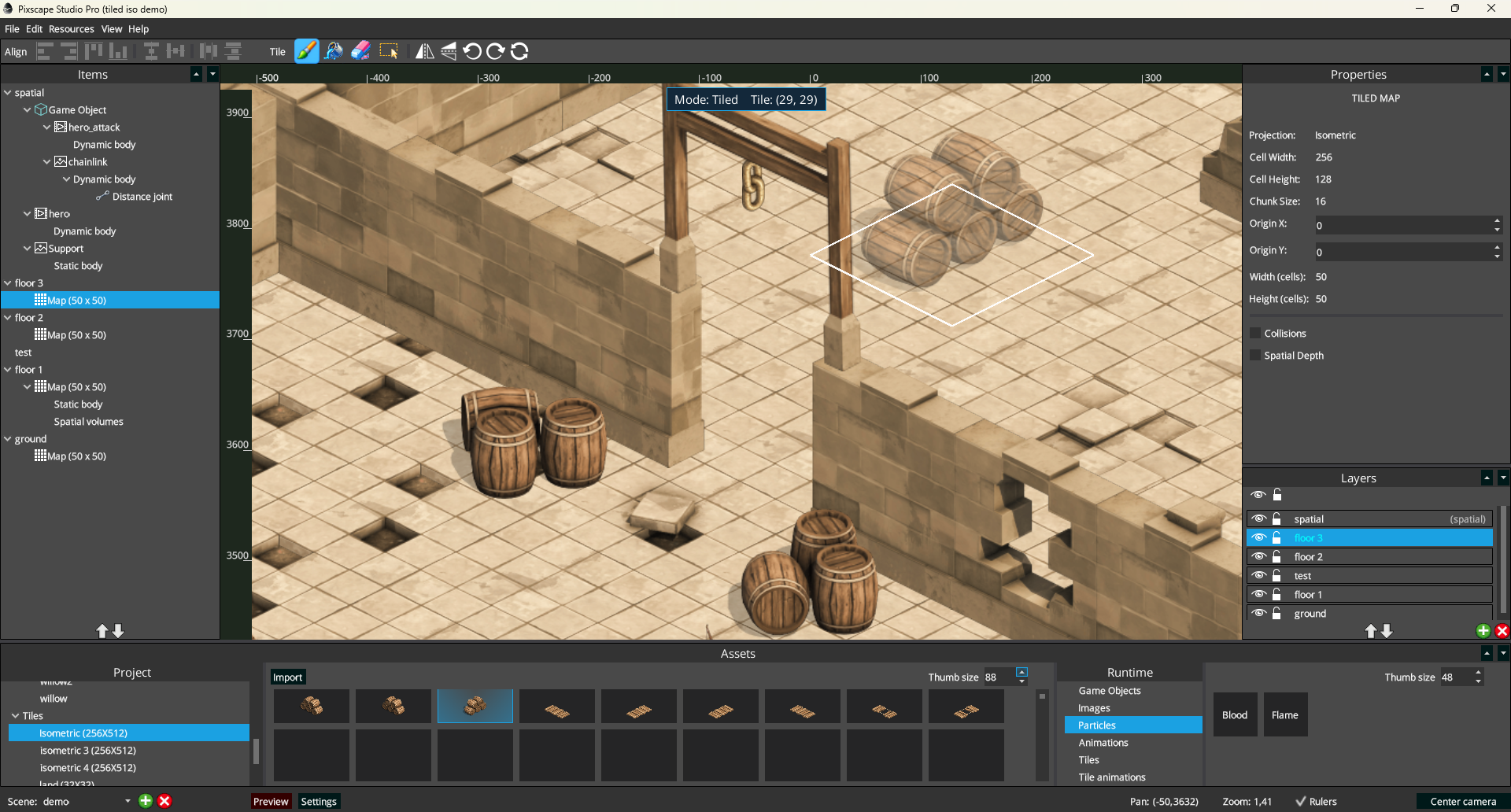
Mode: Tiled and exposes the tile-painting toolbar.Imported tile animations become Pixscape tiled-animation assets and can be used in Tiled Maps like other compatible tiles.
Edit imported objects
Imported Object Layer content is selectable as normal Pixscape scene content. Use Items & Properties to select an imported object and edit its supported metadata, typed custom properties and authored geometry where applicable.
Because the result is a native scene, you can continue with related authoring such as Physics or Spatial V3 for 2.5D depth when the project needs it.
Object Layers
Object Layers are imported into Pixscape for both orthogonal and isometric maps. Their object content becomes ordinary Pixscape scene entities placed in the imported scene structure rather than a separate Runtime object model. Rectangle, point, tile, polygon and polyline objects can be selected as Pixscape scene content; animated tile objects use the imported Tiled tile animation, and supported authored geometry remains editable where applicable.
Pixscape preserves Tiled object class/type metadata and custom properties on Object Layers and objects. Supported property values are String, Boolean, Integer, Float, Color, Object references and nested Class values.
After import, use Items & Properties to inspect and edit those properties on the resulting entities.
For tile objects, properties declared on the source tile are inherited. Properties set directly on the object override the inherited values. This inheritance also applies to compatible nested Class properties.
Tilesets and animations
TMX import supports embedded tilesets and external .tsx files, including single-image atlases and image collections. Standalone .tsx files can also be imported through File > Import > Assets...; see Import assets and tilesets for profile and alignment controls.
Tile dimensions, atlas margin and spacing, referenced images and supported tile animations are imported. Relative image paths are resolved from the TMX or TSX file that declares them.
See Tiled animations in Studio for editing imported animations.
Current limitations
- Infinite, hexagonal and staggered maps are not supported.
- Ellipse and text objects are reported but not materialized. Tiled templates are not supported.
- Custom properties on source TMX maps, tilesets, Group Layers, Tile Layers and Image Layers are ignored. Property import is limited to Object Layers, objects and tile metadata used by tile objects.
- Object-reference properties in tile metadata are not supported.
- Map parallax origin has no Pixscape equivalent and is ignored.
- Non-zero tileset
<tileoffset>is not supported for source Tile Layer cells.