
2.5D
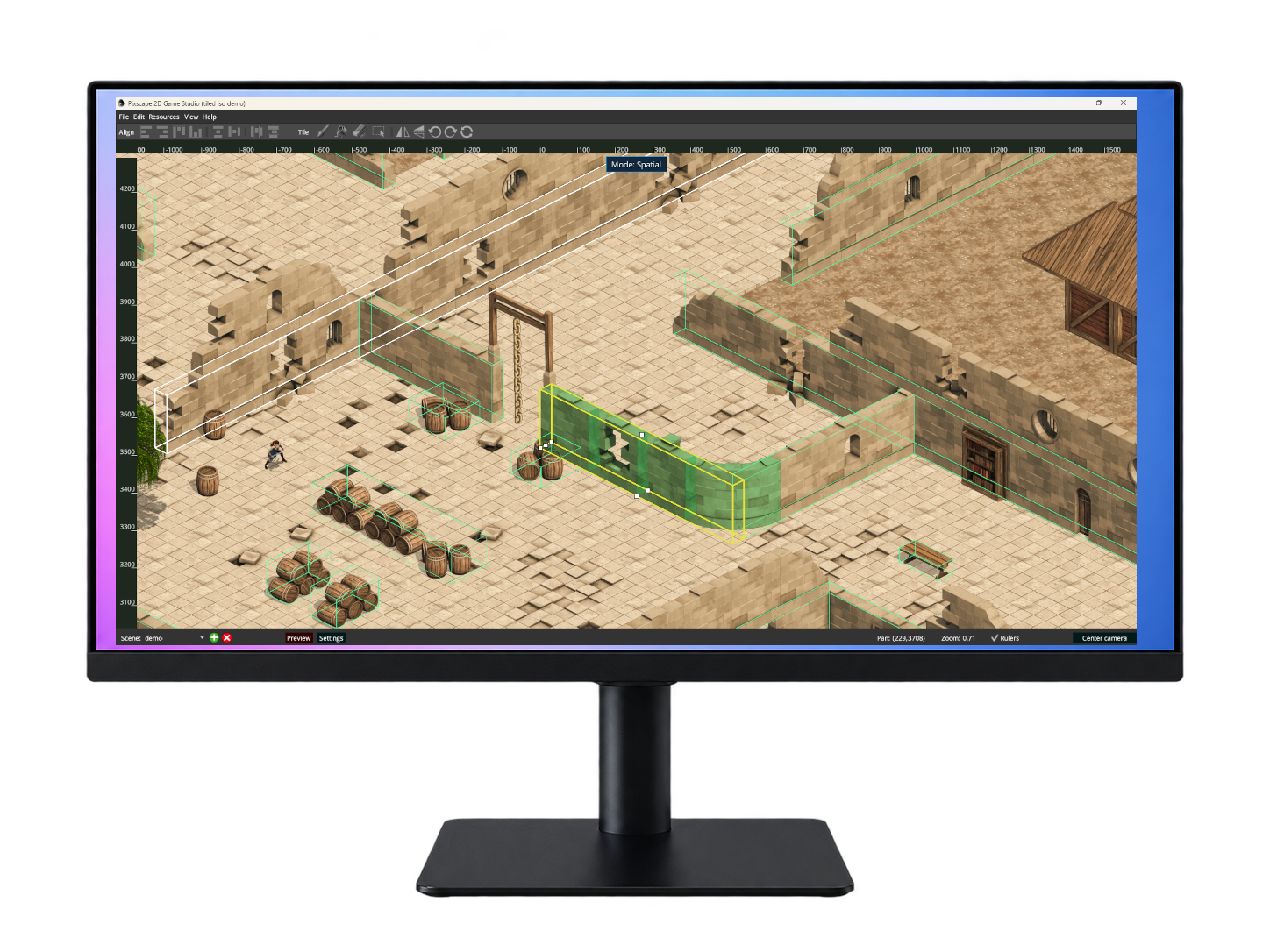
Build rich 2.5D worlds from sprites and tiles, with automatic spatial ordering, normal mapping, and realistic shadows for actors and scenery.
Create scenes, tiled worlds, physics, animations, particles, and pseudo-3D depth visually. Write your gameplay in Java and keep using LibGDX alongside Pixscape.
GitHubOpen-source Studio and Runtime Apache 2.0 No royalties No runtime fees
Build rich 2.5D worlds from sprites and tiles, with automatic spatial ordering, normal mapping, and realistic shadows for actors and scenery.

Import supported Tiled .tmx maps with tilesets, collisions, and preflight diagnostics.
Author bodies, fixtures, and collisions visually for runtime-ready scenes.
Create reusable animation clips, assign multiple animations to an entity, and control how they play.
Design and preview particle effects within the same visual workflow.
Create reusable hierarchical Game Objects in Studio while keeping ECS entities underneath at runtime.
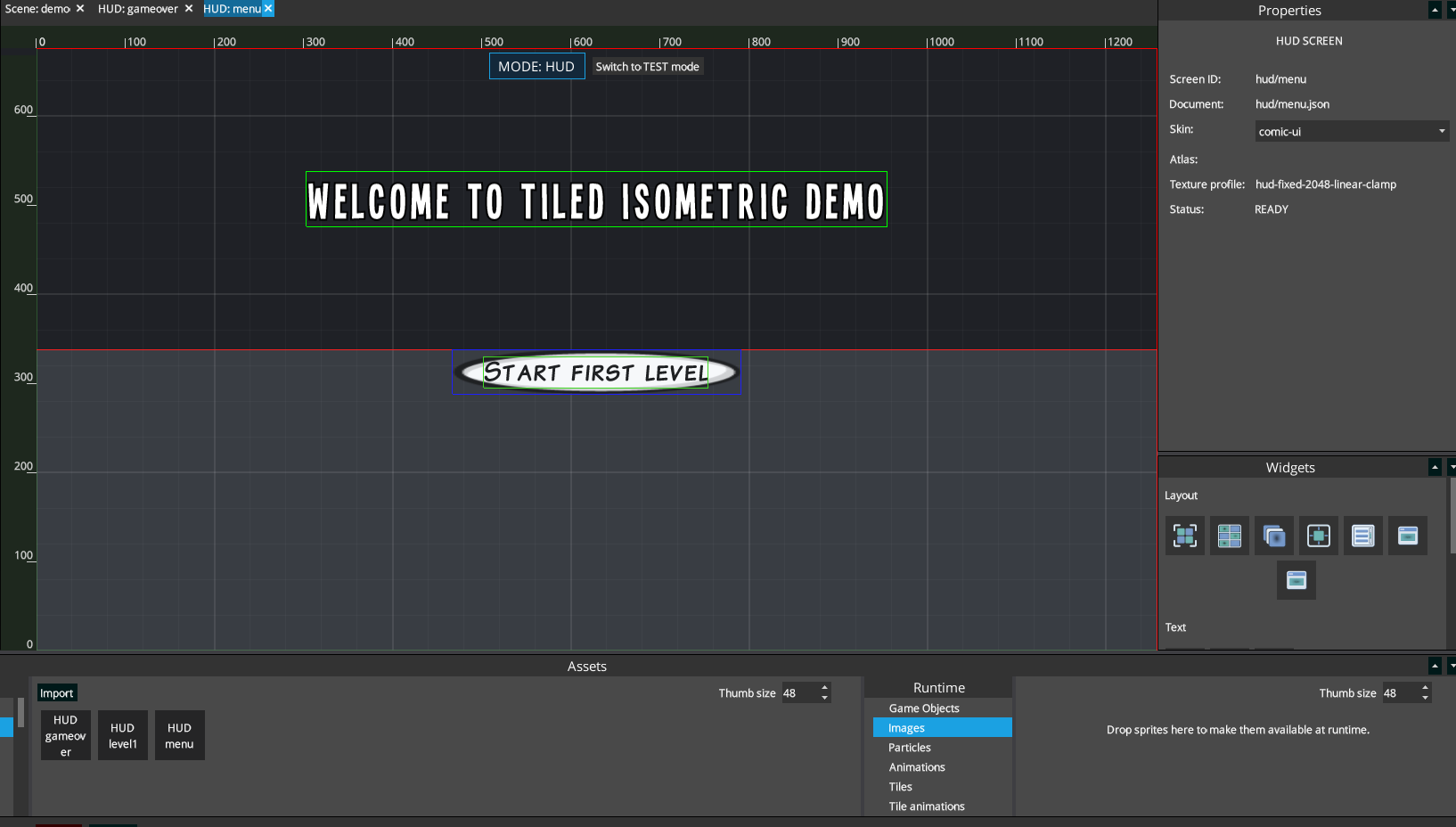
Build responsive game interfaces visually, with flexible layouts, interactive widgets, reusable dialogs, and animated text powered by Textra.
Light your 2D and 2.5D scenes with ambient lighting, point and cone lights, optional normal maps, and dynamic cast shadows.
Apply custom shaders and tune visual effects without leaving the editor.
Compose, transform, deform, organize, and repeat sprites directly in your game scenes.
Create layered backgrounds with configurable depth and scrolling behavior.
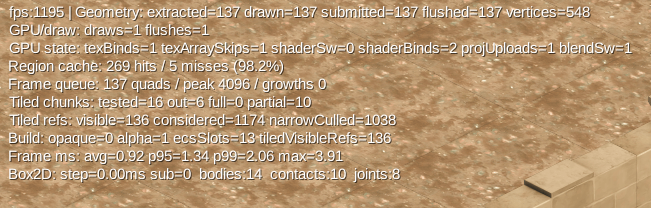
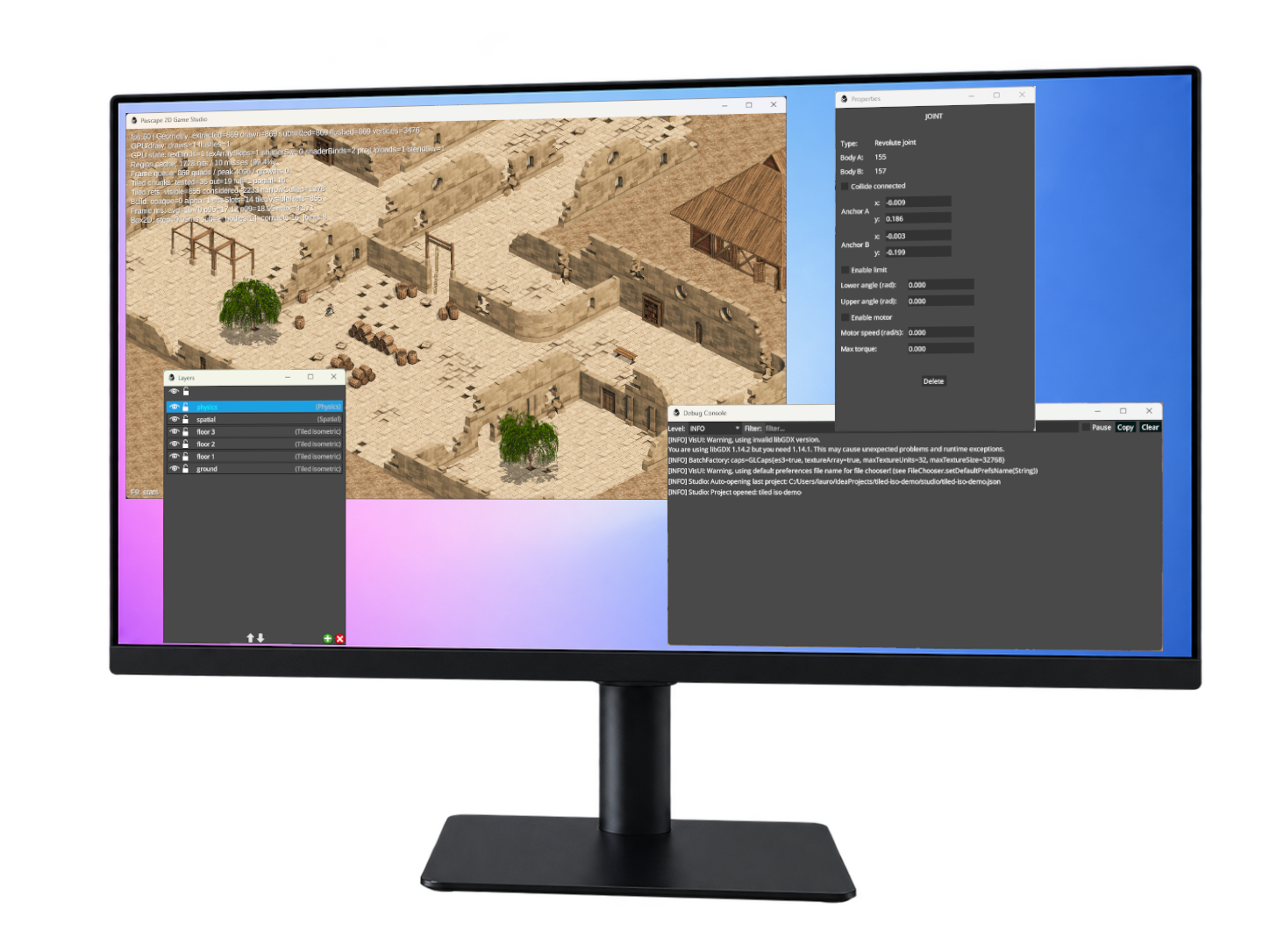
Preview scenes directly in Desktop or HTML, with live performance metrics for rendering, frame time, Tiled maps, caching, and physics.
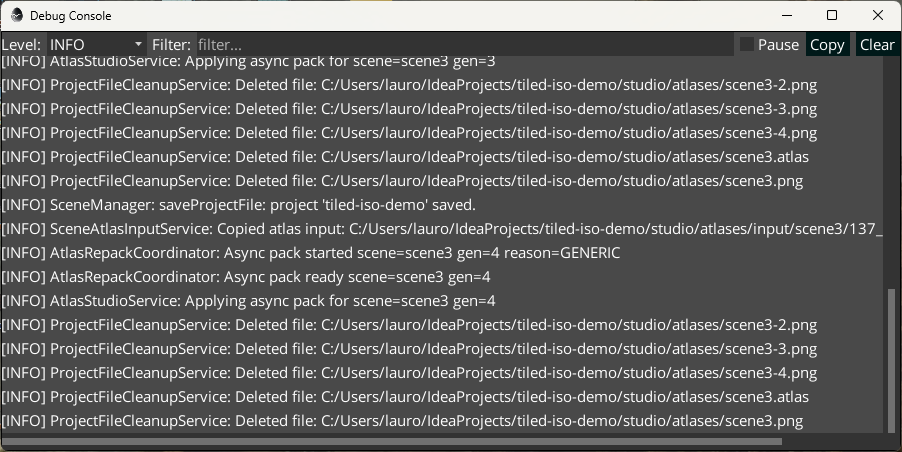
Inspect Studio logs and diagnostics in a dedicated debug window while building and testing your scenes.
Pixscape Studio Free 0.4.0 includes visual HUD editing and simultaneous editing of multiple scenes in document tabs.
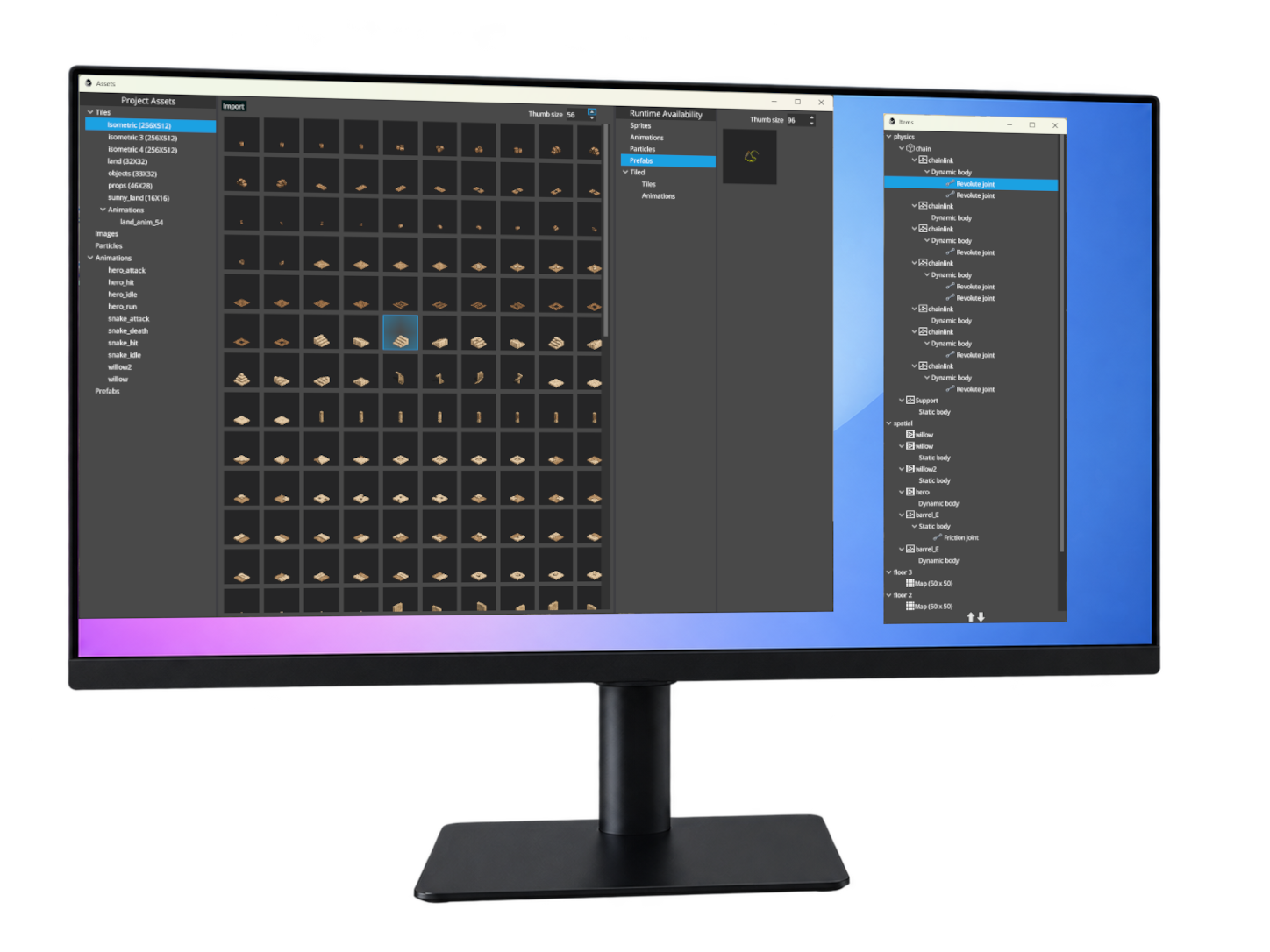
Dock and detach panels across multiple screens to build a workspace that fits your workflow.
Built on LibGDX
Pixscape Runtime adds an opinionated 2D game-engine layer to LibGDX. Use Pixscape
Studio to author your game visually, while Pixscape Runtime owns the managed world
and rendering pipeline. Gameplay and application logic stay in Java, and regular
LibGDX code can run alongside Pixscape, including after engine.render().
Build scenes, tiled worlds, physics, animations, particles, lighting, and spatial environments visually.
No proprietary scripting language. Your gameplay and application logic stay in Java.
Keep using LibGDX APIs and ecosystem libraries alongside Pixscape. After the Pixscape world is rendered, you can continue with regular LibGDX rendering as usual.
Pixscape gives Java developers a visual game-engine workflow built on the LibGDX foundation.
Try Pixscape in 10 MinutesAdd visual authoring and a structured 2D runtime while keeping your existing LibGDX knowledge and Java workflow.
Pixscape for LibGDX developersSee Pixscape in action
A playable demo built with Pixscape Studio and Runtime, combining an isometric Tiled map, 2.5D depth, physics, animations, particles, Game Objects, and simple combat.
Latest release
Free desktop editor for Windows, Linux, and macOS. Compatible with Pixscape Runtime 0.2.2.
Roadmap
Import Tiled object layers and custom properties into Pixscape scenes, preserving richer level-design data and gameplay metadata.
Edit render geometry directly in Studio for more flexible 2D and isometric scene composition.
Author reusable hierarchical Game Objects on top of Pixscape's ECS architecture, while retaining ECS entities underneath at runtime.
Light 2.5D environments with depth-aware lighting, optional normal maps, and dynamic shadows for actors and scenery.
Edit multiple scenes simultaneously in document tabs, each with its own editing context.
Import and use Spine skeletal animations in Pixscape Studio and Runtime.
Optionally snap only the final camera rendering position to the screen pixel grid for crisp pixel-art scrolling, while the logical camera keeps smooth subpixel motion.
Reflect content and project changes in the running game without requiring a restart.
Build reusable Pixscape-native libraries with custom Runtime systems, APIs, assets, and eventually Studio authoring tools.
Connect a compatible AI assistant to Pixscape Studio to create and edit scenes, build HUDs, adjust lighting, and inspect the results—all through natural-language instructions.
Product model
Pixscape Studio Free and Pixscape Runtime are open source under Apache 2.0. You can build complete games with Free, including commercial projects, with Java gameplay, LibGDX interoperability, and source access to the public foundation.
Pixscape Pro is planned as a separate, optional proprietary edition focused on advanced production tools. It does not replace, restrict, or weaken Studio Free.